
Key Takeaways
- Learning how to install a security camera professionally starts with proper planning and site assessment, not just mounting equipment.
- Effective systems rely heavily on professional CCTV camera placement tips to ensure clear coverage without blind spots or privacy issues.
- Proper wiring and cabling for CCTV is critical to avoid signal loss, downtime, and long-term maintenance issues.
- Many system failures stem from common CCTV installation errors such as poor layout, weak network setup, and insufficient storage planning.
- Structured training, such as a WSQ CCTV course in Singapore, helps bridge the gap between basic setup and professional competency.
Understanding How To Install A Security Camera
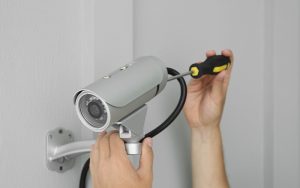
Understanding how to install a security camera professionally goes beyond simply fixing devices onto walls. It requires careful planning, technical precision, and a strong grasp of how surveillance systems perform in real-world environments.
In Singapore, CCTV systems are widely used across homes, businesses, and industrial facilities. Expectations for installation quality are high, and even small mistakes can lead to blind spots, unreliable footage, or operational risks.
This guide breaks down the key steps of professional installation and highlights common pitfalls that can affect system performance.
DIY vs Professional CCTV Installation: What Sets Them Apart
A DIY CCTV installation typically focuses on basic setup, such as mounting cameras and connecting them to a recording device. It is often guided by convenience, pre-configured kits, and minimal planning. While this may be sufficient for simple home use, it can result in gaps in coverage, inconsistent performance, or limited scalability.
A professional setup, on the other hand, is driven by system design and long-term reliability. It involves structured planning, precise positioning, and careful infrastructure setup to ensure stable performance. Installers also account for compliance, integration with other systems, and future expansion needs.
This distinction is important, as many installation issues arise when a system is approached with a DIY mindset in environments that require professional standards.
Example: Multi-Entry Commercial Premises
Consider a retail store or warehouse with multiple entry points, delivery bays, and internal storage areas. A DIY setup may place a few cameras at obvious locations like the front entrance, but it often misses critical angles, such as blind spots in corridors, cash-handling areas, or loading zones.
Without proper planning, cameras may also be positioned too high or at the wrong angle, making it difficult to capture identifiable details like faces or licence plates. In addition, network instability or poor cable routing can lead to intermittent recording, especially in larger spaces.
In such environments, a professionally designed system ensures full coverage, reliable recording, and proper integration with other security measures, which a basic DIY setup is unlikely to achieve.
Step 1: Site Assessment and Planning
Every professional installation begins with a detailed site assessment.
Installers evaluate:
- Entry and exit points
- High-traffic or high-risk zones
- Lighting conditions throughout the day
- Physical obstructions
This stage determines:
- Number of cameras required
- Types of cameras needed
- Coverage angles and positioning
Without proper planning, even advanced systems may fail to deliver reliable surveillance. This is where understanding the principles of CCTV becomes essential, as it shapes how coverage is designed from the ground up.
Step 2: Choosing the Right System Components
Selecting the right components ensures the system functions as a cohesive unit.
Key components include:
- Cameras (analogue or IP-based): Analogue cameras use older technology (coaxial cable) for cost-effective basic setups, while IP cameras are higher resolution and transmit data over networks.
- DVR or NVR systems: A DVR (Digital Video Recorder) records footage from analogue cameras by processing video signals through physical cabling. An NVR (Network Video Recorder), on the other hand, records footage from IP cameras over a network, enabling higher-resolution recording and more flexible system integration.
- Storage solutions
- Network infrastructure
- Power supply systems
For example:
- IP cameras require a stable bandwidth
- Storage must match recording duration needs
Poor component selection often results in system instability or limited scalability, especially as surveillance needs grow over time.
Step 3: Camera Placement and Positioning
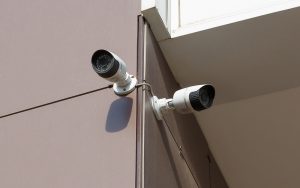
One of the most critical aspects of installing a security camera is positioning.
Effective CCTV camera placement tips include:
- Mounting at appropriate heights to avoid tampering
- Angling cameras to capture identifiable details
- Avoiding glare, shadows, or backlighting
- Minimising obstructions
Installers must also ensure cameras do not capture private or restricted areas unnecessarily, which can lead to compliance concerns.
Good placement directly impacts whether footage is usable in real situations.
Step 4: Wiring, Power, and Network Setup
Reliable infrastructure is the backbone of any CCTV system.
Proper wiring and cabling for CCTV involves:
- Securing cables safely along designated routes
- Avoiding interference from other electrical systems
- Managing cable lengths within recommended limits
For IP systems, network setup includes:
- Assigning IP addresses
- Securing access credentials
- Ensuring stable connectivity
Poor setup at this stage can lead to signal loss, downtime, or even cybersecurity vulnerabilities.
Step 5: System Configuration and Integration
Once hardware is installed, configuration ensures the system operates efficiently.
This includes:
- Setting resolution and frame rates
- Configuring motion detection
- Assigning user permissions
- Integrating with alarms or access control systems
Proper configuration improves storage efficiency and ensures important events are captured accurately.
Step 6: Testing and Commissioning
Before full deployment, thorough testing is required.
Installers typically:
- Verify camera coverage
- Test recording and playback
- Check network stability
- Simulate real-world scenarios
This stage ensures the system performs reliably and allows issues to be resolved early.
Common CCTV Installation Mistakes to Avoid
Even with the right equipment, mistakes can compromise the system.
1. Poor Planning and Layout
Skipping proper assessment often results in blind spots or redundant coverage.
2. Incorrect Camera Placement
Improper angles or heights can lead to unusable footage.
3. Inadequate Storage Planning
Insufficient storage may cause critical recordings to be overwritten too quickly.
4. Weak Network Configuration
Unstable networks can result in lag, disconnections, or system failure.
5. Ignoring Compliance Considerations
Failing to account for privacy regulations, such as guidelines related to Singapore’s Personal Data Protection Act (PDPA), can lead to complaints or legal complications.
These common CCTV installation errors highlight why professional standards are essential.
Bridging the Gap Between Basic Skills and Professional Competency
Knowing how to install a security camera is only one part of the process. Many individuals start with basic installation knowledge, but gaps often remain in critical areas such as system design, troubleshooting, and integration with other security systems.
Professional installers are expected to:
- Design effective surveillance systems
- Apply best practices consistently
- Troubleshoot issues efficiently
- Understand compliance requirements
This requires both technical ability and practical experience, especially in complex environments. Structured training helps address these gaps. Programmes such as a CCTV technician course in Singapore provide hands-on experience and a clearer understanding of real-world applications.
For those looking to further deepen their skills, enrolling in a proper CCTV course also offers a structured pathway aligned with industry standards.
Conclusion
Learning how to install a security camera professionally involves more than assembling components. From planning and placement to wiring, configuration, and testing, every step contributes to system performance and reliability.
While basic installation knowledge can get a system running, professional competency comes from understanding the full process and avoiding common mistakes.
At Apollo Global Academy, our training programmes are designed to equip learners with both the technical skills and practical knowledge needed for real-world CCTV installation. Contact us today to find out how you can build a stronger foundation in surveillance and security systems.